
Your team records. The agents read. You decide.
Moki has three parts: data collection in the field, the agents that read what was collected, and control, which stays with you. See how each one works and how to get started.
Data collection, agents and control.
Checklists, audits, non-conformities and action plans in the app, with photo, place and time. Even offline.
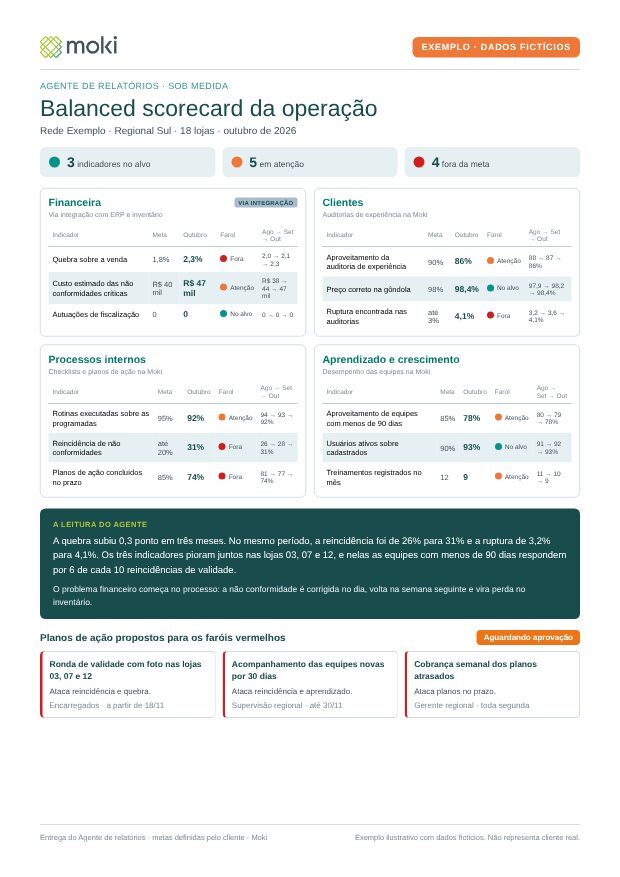
AgentsThey read the records and deliver ready-made reports, action plans, photo assessments and tasks.
ControlYou choose what the agents read, who receives it and how much they can consume. Every action goes through approval.
From the first data point to the agent at work.
Each role gets what it needs.
Opens the app, sees today's schedule, answers with photos and fixes what was flagged.
ManagerApproves action plans, gets the visit route and the meeting agenda.
DirectorGets the comparison across regions, recurrence and overdue plans.
Owner or C-LevelAsks and gets the summary, the risk and what needs a decision.
How data goes in and out.
Product, store, order and price data, by API or spreadsheet.
In the field, with form, photo, place, time and barcode scanning.
To your ERP, BI or export: audits, counts, plans and KPIs.
No big project to get started.
Moki runs in the cloud, in the browser and in the app.
The phone camera does the scanning.
Moki works alongside the systems you already have.
IT only comes in when there's an integration.
About how it works
Where do I start?
With one process and a few units. Once it's established, you extend it to other processes and units.
Can I start with data collection only?
Yes. The agents can be turned on later, and the recorded history stays available for them to read.
Who sets up the agents?
The Moki team, together with you.
Do the agents act on their own?
No. The agents propose. Approval always comes from someone on your team.
A simple calculation to take to the leadership team: hours spent consolidating, recurrence and the time between the record and the decision.
Bring your data.
We give you back the first reading of your operation.
A specialist will contact you to arrange sending the data through a secure link.
- We bring data from any system, even spreadsheets.
- The reading is done with your operation's numbers.
- Your data is yours. We don't use it to train anyone's AI.