
Straight answers about Moki.
What Moki is, how the agents work, how to roll out, integrate and sign up. If your question isn't here, talk to a specialist.
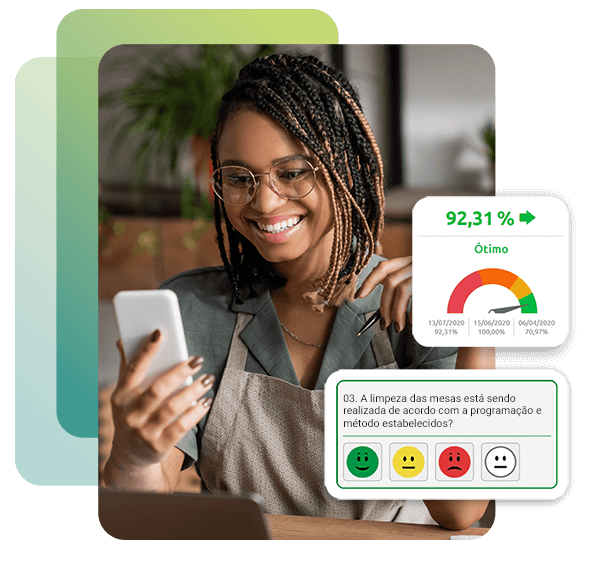
About Moki
What is Moki?
It's operational execution management software. Your team records the routine on the phone, with photo, location and time, and Moki's AI agents read those records and deliver ready-made reports and alerts. You define whether action plans are written by the team or by the agents. See how it works
What kind of company is Moki for?
Companies with operations spread across stores, distribution centers, plants or service stations, that need to make sure the routine happens the right way in every unit.
Which segments use Moki?
Supermarkets, wholesale, pharmacies, fashion, beauty, food service, logistics, manufacturing and facilities, among others. See the segments
Does Moki replace my ERP?
No. The ERP records what should happen: orders, invoices and stock. Moki records what actually happened in the operation and can send that data back to the ERP.
Does Moki replace my WMS?
Not by architecture. The WMS plans: where to store, how to pick, which path to take. Moki checks execution on the floor: receiving, counting, picking and shipping. In medium or simple operations, it can cover what is expected of a WMS day to day.
Will my team have to use two systems?
No. Where Moki comes in, it takes over that process. The other systems receive the data through integration.
How long has Moki been around?
The company is 30 years old and the product, 19. Moki is used in 15 countries, in Latin America and Europe. About Moki
The agents
What are Moki agents?
They are AI agents that read what your team records in the field and deliver finished work: answers, reports, photo assessments and tasks in the schedule. They can also write action plans, in the situations you define. Meet the agents
Which agents exist today?
Talk to your data, report agent, checklist agent, action plan agent and task agent. Others are in development. See the upcoming agents
Do I need to know how to use AI to work with the agents?
No. You ask in plain language and receive the deliverables by email, WhatsApp and in the app.
How are the agents turned on?
The Moki team configures each agent with you: what it reads, when it runs, who receives the deliverable and the credit limit.
When do the agents work?
When something happens in the operation, such as a recorded non-conformity or a plan reaching its deadline, or at the frequency you define, such as a report every Monday.
Do the agents make decisions on their own?
No. You define who writes each action plan, a team member or the agent, and in which situation. When it's the agent, someone on your team approves it.
Can the AI make mistakes?
Yes. That's why every conclusion shows where the data came from, and actions go through human approval.
Can the agent change what my team answered?
No. An answer recorded by a person keeps its author, date and time, and the agent doesn't change it.
Do the agents read the existing history?
Yes. Records made on Moki, and the data you bring from other systems, are available for the agents to read.
What if my process is very specific?
We build custom agents with your company's standards, criteria and systems. See custom agents
Checklists and data collection
Can I use the checklists I already have?
Yes. We bring your checklist into Moki or start from one of our templates.
Does the app work offline?
Yes. Records are made offline and sync when the connection comes back.
Does it work on any phone?
It works on Android and iOS, on phone or tablet. No special equipment needed. Explore the field app
What kind of evidence does the audit record?
Photo, video, signature, location, date, time and author on every answer.
How is an audit score calculated?
As the sum of points achieved divided by the sum of points possible. That way, a larger audit doesn't weigh the same as a smaller one.
What counts as a non-conformity?
Every item marked as non-compliant, even if corrected on the spot. The criteria are defined by whoever creates the checklist.
Is the action plan opened automatically?
It can be. You define in which situation a non-conformity opens an action plan and who writes it: a team member or the agent. The owner gets notified with the deadline. Non-conformities and action plans
Can I schedule visits and routines?
Yes. The schedule distributes checklists by person, unit and frequency, and shows what was left undone. Schedule and routines
What is Smart Scan?
It's barcode reading with the phone camera, to check product, price, expiry and stock. It uses technology from Scandit, a Moki partner. Explore Smart Scan
Do I need to buy a data collector?
No. Smart Scan uses the camera on the phone the team already has.
Will this create more work for the team?
It shouldn't. Moki replaces the paper and spreadsheets the team already fills in. In most cases, recording on the phone is faster.
Rollout
Where do I start?
With one process and a few units. Once it's established, you extend it to other processes and units. See the step by step
Do I need the IT team?
Not to get started. Moki runs in the browser and the app, with no server or installation at your company. IT comes in when there's integration with other systems.
How do I bring the data I already have?
Through a spreadsheet or integration with your system. It can be audit history, product registry, stores or orders.
What is the first reading?
It's an analysis of the data you bring, so you can see what the agents would find in your operation.
Does Moki offer training?
Yes. There's online training for app users, administrators and managers. Training is contracted separately.
Integrations and data
Does Moki integrate with other systems?
Yes. We connect Moki to ERP, WMS, TMS, POS, e-commerce and BI tools, via API or project integration. Integrations and API
Which ERPs does Moki integrate with?
Moki can be integrated with ERPs such as SAP, TOTVS, Omie and Oracle, among others, via API or project integration.
What data goes into Moki?
Product registry, prices, stock, orders, store and region structure and asset registry, via API or spreadsheet.
What data comes out of Moki?
Audit results, counts, receipts, action plans, photos and indicators, to your system, BI or export.
Can I see the data in my BI?
Yes. The data can go to BigQuery, Looker, Power BI and other tools. See the dashboards
Data access
Who sees the information?
Only the people you authorize. Access follows your company's profiles.
Does Moki use my data to train AI?
No. Your data isn't used to train anyone's AI.
Do the agents read everything in Moki?
No. The agents read only what you define. See how you control the agents
Plans and contracting
How much does Moki cost?
It depends on users, units, volume and agents. A specialist puts the proposal together with you. See how the plans work
What is a credit?
It's the usage unit of the agents. Each deliverable uses credits according to the size of the work, and consumption is visible on the dashboard.
Can I cap credit consumption?
Yes. Each agent has a limit you set.
Can I start with data collection only?
Yes. You can add the agents later, and the recorded history remains available for them to read.
What does Moki offer beyond the software?
Training, dashboards, automations, integrations and custom agents, contracted as needed. See custom services
Can I resell or refer Moki?
Yes, through Moki Collab, the partner program for consultants, consulting firms and ERP resellers. Explore Moki Collab
How do I get started?
Talk to a specialist and bring the data you already have, from any system, even a spreadsheet. We give you back the first reading of your operation. Bring your data
See Moki applied to your operation.
From the first data point to the agent at work.
Agents overviewWhat each agent delivers.
Checklists and auditsField data collection, with evidence.
Owner or C-LevelThe summary, the risk and the decision.
A simple calculation to take to the leadership team.
Didn't find your answer?
Talk to a specialist and bring the data you already have.
A specialist will contact you to arrange sending the data through a secure link.
- We bring data from any system, even spreadsheets.
- The reading is done with your operation's numbers.
- Your data is yours. We don't use it to train anyone's AI.