
The phone reads the code. The team checks in seconds.
Smart Scan turns the phone into a barcode reader inside the checklist. Price, expiry, goods receiving and stock checked product by product, without typing.

Typing codes by hand creates errors and queues.
Checking price and expiry product by product takes the whole shift. One wrong digit and the discrepancy disappears from the report. Checking ends up being done by sampling.
Every scan is recorded with product, place, time and author, ready for the agents to read.
Product checks, from receiving to the shelf.
Whether the label and the system match.
Expired or near-expiry products.
Invoice, order and what actually arrived.
Counting with sequential scanning.
Fast scanning, even in poor conditions.
Scanning technology from Scandit, a Moki partner.
Small, damaged or poorly lit codes.
Cross-check with your company's product database.
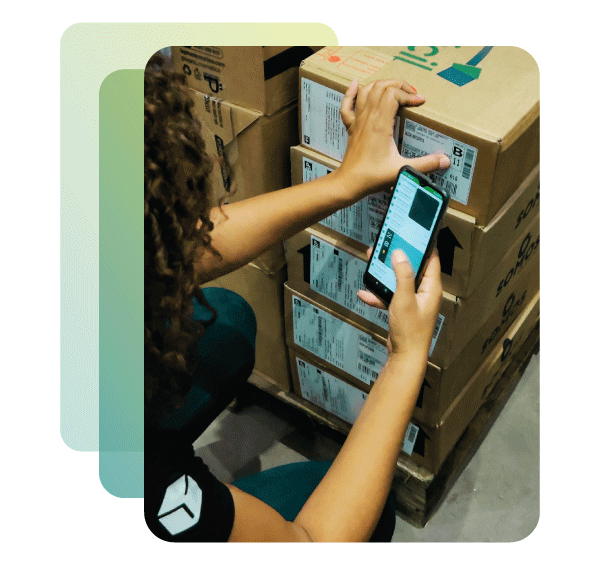
From code to result.
About Smart Scan
Do I need a barcode reader?
No. The phone camera does the scanning.
Does it work with my product database?
Yes. We connect Moki to your database to check price, description and expiry.
Does it work offline?
Recording does, and the app sends it when the connection returns. Cross-checking with external databases requires a connection.
A simple calculation to take to the leadership team: hours spent consolidating, recurrence and the time between the record and the decision.
Bring the checking process that takes the most time.
We show you how it works with Smart Scan.
A specialist will contact you to arrange sending the data through a secure link.
- We bring data from any system, even spreadsheets.
- The reading is done with your operation's numbers.
- Your data is yours. We don't use it to train anyone's AI.