
Checklists and audits with 19 years of field use.
Build your forms, apply them on the phone and record with photo, location and time, even offline. Everything recorded is ready for Moki agents to turn into reports, analyses and action plans.

The difference is in what happens after the record.
In most systems, the checklist ends when the auditor hits submit. At Moki, the agents read the answers and deliver finished work. Your team stops recording for nobody to read.
Meet the agentsFrom form to result, with no spreadsheet in between.
 Build without coding
Build the form with the question types you need and set scoring, weight and what counts as compliant. Start from scratch or from a ready-made template.
 Apply in the field
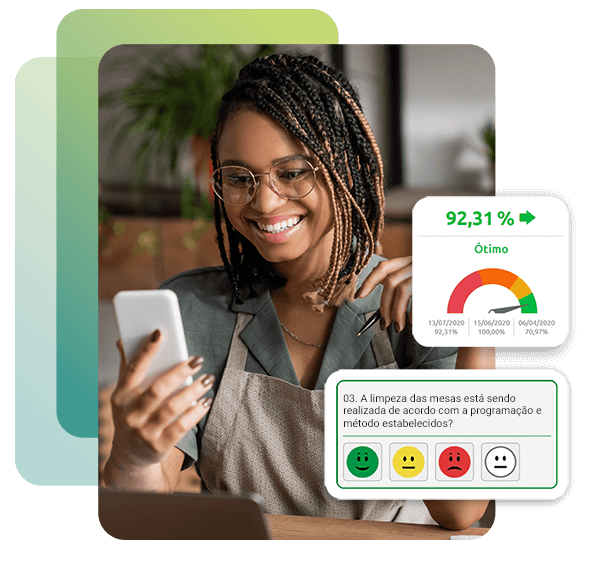
Android and iOS app that works offline. Photo, GPS, date, time and signature on every record. When the connection comes back, everything syncs.
 Handle non-conformities
Every failed item is recorded with evidence and becomes an action with an owner and a deadline.
 Schedule routines
Define who audits, where and how often. The team gets the schedule in the app, and you see what was done and what is late.
 Track the results
Score by unit, region, auditor and item, with history. The calculation uses points achieved over points possible.
 Integrate with your systems
API, export and BI connection. Moki data reaches where your company already works. Project integrations

The phone becomes a professional barcode reader.
For goods receiving, inventory, expiry and price checks, at volume.
- Fast reading, even with damaged labels or low light.
- Checks the original list against what was read: matches, discrepancies and not found.
- No dedicated scanner: the device the team already has.
Each question records the right evidence.
Six steps. The last one is what most companies are missing.
After the audit, the work keeps going on its own.
| After the audit | Checklist only | With Moki agents |
|---|---|---|
| Check the photos | Someone looks when they can | Every photo assessed right away, with justification |
| Consolidate the result | Spreadsheet at the end of the month | Report ready every week |
| Handle non-conformities | Plan written by hand | Plan written by the team or the agent, as you define, approved by the manager |
| Distribute the corrections | Manager tells each person one by one | Commitment in each owner's schedule |
| Answer questions | Request to the analyst | Question in Talk to your data |
Data collection works on its own. The agents come in when you want the record to become finished work. Meet the agents
Simple for those who audit. Complete for those who decide.
Simple app that works offline and records evidence in a few taps.
Schedule, non-conformities and action plans in one place.
The result read by the agents, without waiting for the consolidated report. For Owner or C-Level
Each person sees only what they need.
Photo, location, date, time and author on every record.
We don't use your data to train anyone's AI.
Before you start
Can I bring the checklists I already use?
Yes. We bring your forms over from another system or from a spreadsheet.
Does it work offline?
Yes. The app records without a connection and syncs when it's back.
Do I need the agents to use the checklist?
No. Data collection works on its own. The agents come in when you want the record to become finished work.
Is there a limit on users or checklists?
It depends on the plan. See how the plans work.
Bring your checklists from wherever they are, even a spreadsheet.
We show you what they say when someone reads them.
A specialist will contact you to arrange sending the data through a secure link.
- We bring data from any system, even spreadsheets.
- The reading is done with your operation's numbers.
- Your data is yours. We don't use it to train anyone's AI.